How to apply your license
Dual licensing is available for this app. Therefore where and how to apply your license depends on where you've purchased it:
Atlassian Marketplace
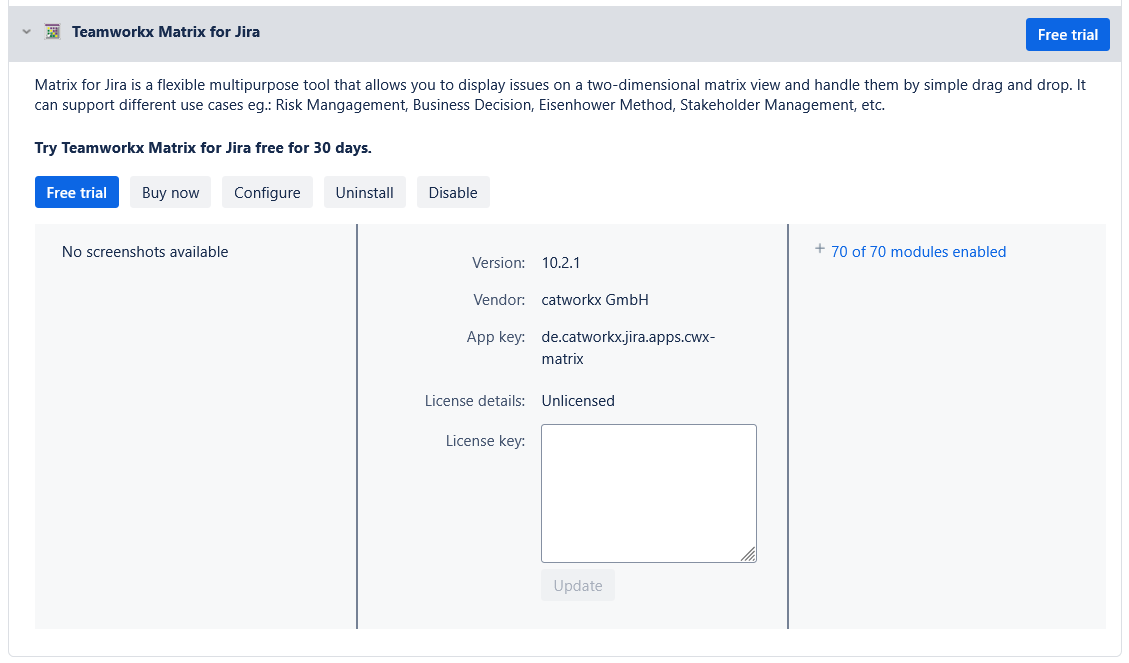
If you've purchased your license from the Atlassian Marketplace you'll have to enter your license on the Manage apps page:
- From the top navigation bar, select Manage apps.
- Select the app in the list to expand the listing.
- Paste your license key into the License key field.
catworkx License
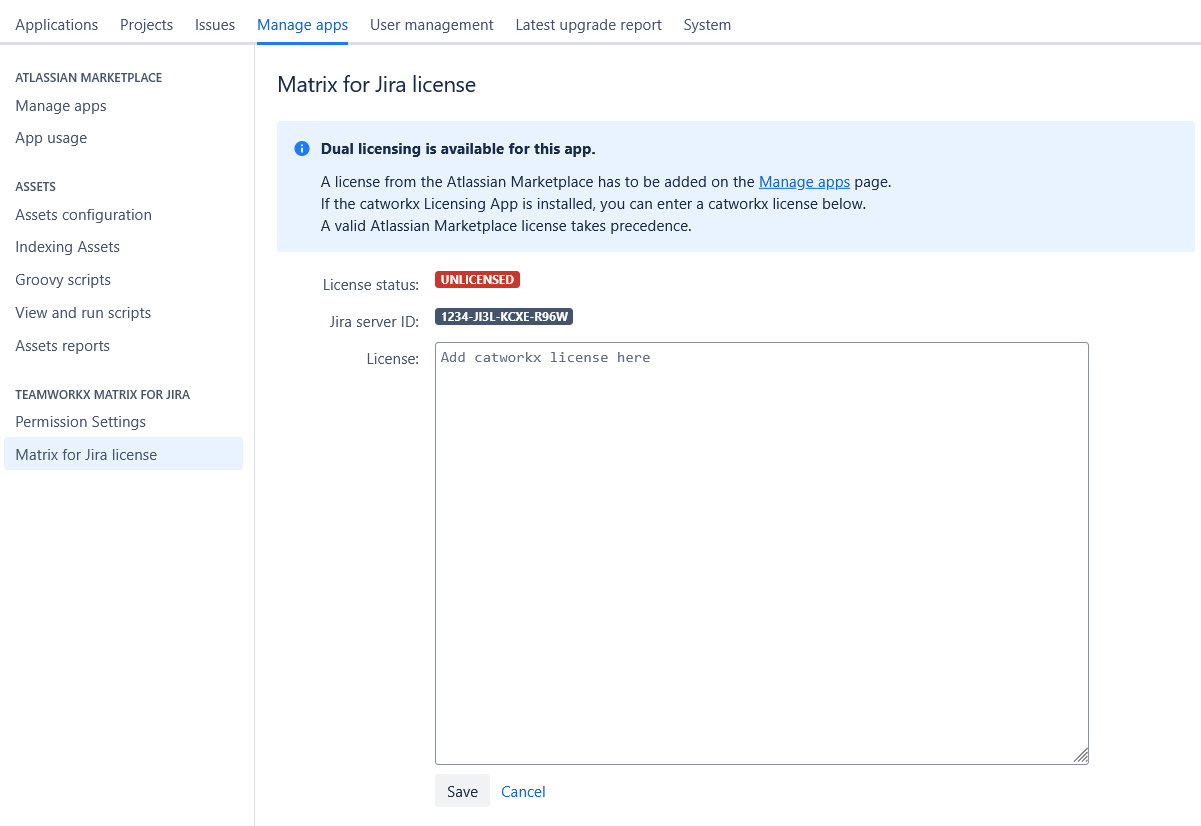
If you've purchased your license from catworkx you'll have to enter your license on the Matrix for Jira license page:
- From the top navigation bar, select Manage apps, and then Matrix for Jira license on the left.
- Paste your license key into the License field.